Build forms and lead capture
Build WordPress forms with AI from each plugin's own schema.
This authoring brief covers 6 form plugins and 168 distinct documented ability names: 6 available in Free and 162 added by Pro. The broader forms selector also includes Forminator and WS Form, whose narrower editing surfaces are separate. Inspect each installed plugin's fields, logic and notification defaults before saving or embedding a form; a brief alone does not guarantee that delivery stays disabled.
Free: Elementor and blocks; Pro: advanced and additional modules, Draft content; review shared changes separately, All build briefs
PROJECT TYPE: FORM AND LEAD CAPTURE
FORM PLUGIN: [WPFORMS / GRAVITY FORMS / FLUENT FORMS / FORMIDABLE / CONTACT FORM 7 / NINJA FORMS]
PURPOSE: [CONTACT / QUOTE REQUEST / APPLICATION / REGISTRATION / SUPPORT INTAKE] for [AUDIENCE].
FIELDS: [LIST EACH FIELD, ITS TYPE AND WHETHER IT IS REQUIRED]. Inspect the field-type schema first and tell me if any type I asked for is not supported.
LOGIC: Conditional fields, show [FIELD] only when [CONDITION], and only if this plugin genuinely supports it.
VALIDATION: [RULES]. Keep required fields to the minimum that makes the submission useful.
NOTIFICATIONS: Draft the notification to [RECIPIENT] with subject [SUBJECT], but do not enable it until I confirm the address.
CONFIRMATION: [MESSAGE / REDIRECT TO PAGE]. Show me the wording before it goes live.
CONSENT: Include [CONSENT TEXT] and link the privacy policy. Do not collect data the purpose does not need.
PLACEMENT: Embed on [PAGE] in [BUILDER], matched to the existing design system.
DO NOT: Send a test submission, connect a CRM, or enable notifications without my explicit approval.
The riskiest part of a form is not the fields. It is where submissions go. Keep routing approval on your side of the line, exactly as this brief does.
 View full size ↗
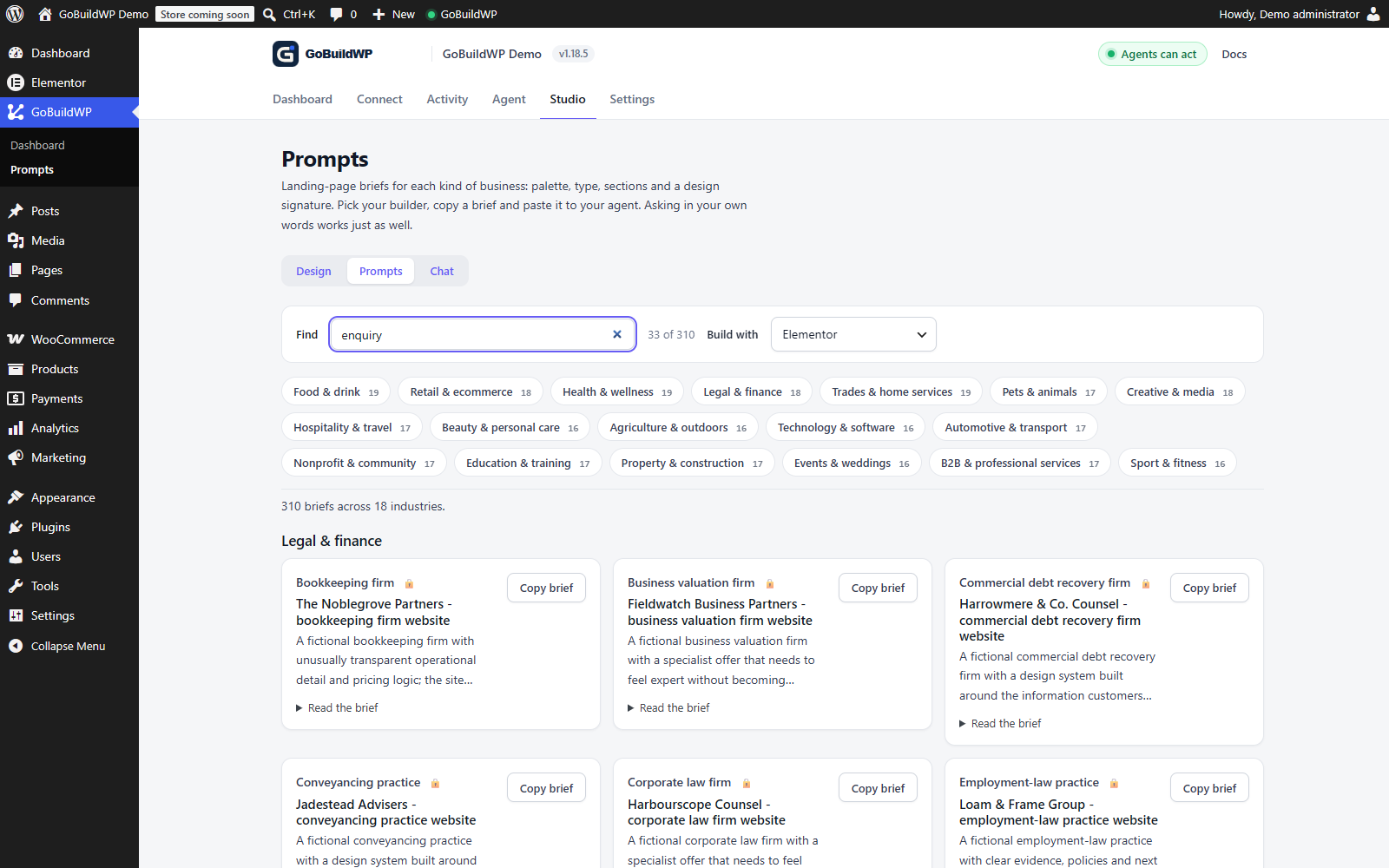
A working search in the plugin's prompt library. Use a brief as a starting point, then build and test the actual form with your installed plugin. Form submission and email delivery are not shown here.
Actual product capture · local demoWhat happens next
One brief, many typed calls
Nothing here is a black box. Each step is a separate ability call, checked against the connected user's WordPress capabilities, the safety profile and the confirmation rules before it runs.
Start on staging. A draft page does not isolate shared menus, templates, styles, taxonomy, access or delivery settings: inspect affected routes and approve those changes separately. These briefs describe planned calls, not completed runtime tests; verify saved data, the native editor and rendered output before launch.
Abilities this run calls
wpforms-create-formwpforms-add-fieldwpforms-create-notificationwpforms-create-confirmationgravityforms-create-formgravityforms-add-fieldgravityforms-create-confirmationfluentforms-create-formfluentforms-add-fieldfluentforms-get-field-types-schemafluentforms-edit-confirmationformidable-create-formformidable-add-fieldcf7-create-formcf7-get-tags-schemaninja-forms-create-form
Registered names from the shipped plugins. Schemas and descriptions are in the ability reference.
Reads the field-type schema first
Every form plugin has its own field vocabulary. The agent asks the installed plugin what field types exist before building, so an unsupported type is reported rather than approximated.
Creates the form and its fields
Form created, fields added in order with their labels, types, required flags and validation. Fluent Forms, Gravity Forms, WPForms, Formidable and Ninja Forms each have their own typed add-field and edit-field abilities.
Adds conditional logic where the plugin supports it
Conditional fields are built through the plugin's own logic system. Where a plugin does not support what you asked for, the run says so instead of faking it with duplicate forms.
Review delivery defaults before saving notifications
Prepare recipients, CRM routing and confirmation behavior for review. Check the plugin's creation defaults and a supported disabled state before persisting delivery configuration. If disabling cannot be demonstrated, keep it as a proposal for the owner to configure in the native editor. Saving a form is not proof that notifications are unarmed.
Embeds the form in the page
Placed into the builder document with your existing classes applied, so the form looks like the site rather than like the plugin's default stylesheet.
Hands back a test matrix
What to test, validation, spam handling, consent, success state, duplicate submissions, as a list. The agent does not send a live test lead on its own.
Scope
What it drives, and where it stops
GoBuildWP Pro ships 89 integrations. Pro modules require an active GoBuildWP Pro licence and the supported plugins installed on your site. Check feature-specific version and edition gates in the linked references; Free Elementor and block-editor basics have separate coverage.
Plugins this brief can drive
- Form plugins in this authoring brief
- WPForms, Gravity Forms, Fluent Forms, Formidable, Contact Form 7, Ninja Forms
- Builders for placement
- Elementor, Bricks, Divi 5, Oxygen 6, Breakdance, Etch, Beaver Builder, WPBakery, Mosaic
- Builder-native forms
- Bricksforge Pro Forms, Breakdance forms
- Downstream
- WooCommerce, Paid Memberships Pro, The Events Calendar
Where it stops and asks you
- Notification recipients and CRM routing need explicit review. Verify the per-plugin enabled state before saving or embedding; no universal disabled-creation state is promised.
- It does not send test submissions. A live submission can trigger email, automation and downstream systems that no database rollback can recall.
- Field types that the installed plugin does not support fail closed. No silent substitution of a text input for a missing field type.
- Submission data is personal data. Ask for the minimum the purpose needs, and keep consent text and privacy links in the form.
- Deleting forms, fields, notifications or submissions is destructive and needs explicit confirmation.
Designing, building and living with the form
Decide what the form is for before you build WordPress forms with AI
An agent will happily build a twenty-field form if the brief lists twenty fields. The useful work happens before that: decide what a good lead looks like and ask only for what you need to qualify and answer it. A quote form for a tradesperson needs the job type, the postcode and a way to reply. A support intake needs the account or order reference so the reply does not start with a question. Everything else is friction and personal data you now have to look after.
Write the brief from the reply backwards. List what the person answering needs in front of them, mark each field required or optional, and say which answers should change what comes next. That last list becomes the conditional logic, and it is where plugins differ most, so the agent checks the installed plugin's field-type schema before it promises anything.
Walking through a Gravity Forms quote request
Here is the order a careful run follows for a quote form in Gravity Forms embedded on an Elementor page. The other supported plugins follow the same shape with their own ability names.
- gravityforms-check-setup reports the plugin version and what it can do; gravityforms-get-field-types-schema lists the field types this install actually has.
- gravityforms-create-form makes the empty form, and gravityforms-add-field adds each field in order with its label, type, required flag and any conditional rule; gravityforms-reorder-fields fixes the order if the review changes it.
- gravityforms-create-confirmation writes the on-screen message or redirect you approved word for word.
- Notifications stay a proposal. gravityforms-create-notification exists, but the recipient address is yours to confirm, and the brief keeps it unsaved until you have.
- The form is placed on the page through the builder's own form or shortcode element, then audit-accessibility checks the served page for missing labels on its fields.
Free reads entries, Pro builds forms
The edition line here is clear. GoBuildWP Free can list forms and their entries on several plugins: cf7-list-forms and cf7-list-entries, gravityforms-list-forms and gravityforms-list-entries, wpforms-list-forms and wpforms-list-entries. That suits an agent that summarises what came in this week. Note that WPForms stores entries only in WPForms Pro; on WPForms Lite there are none to read.
Creating forms, adding and editing fields, confirmations and notifications is Pro, as are the entry tools that change something, such as gravityforms-mark-entry for read and starred flags, and the exporters. The Gravity Forms export redacts password, card, file-upload, signature and IP columns unless you explicitly confirm you need them, which is the right default for a lead list leaving the site.
Test the form from submission to the receiving inbox
A saved form is only the start of the check. On a phone, use the form with the keyboard and confirm that required fields, validation messages and conditional branches make sense. Try an incomplete submission as well as a valid one. Have the recipient approve the destination address and subject line before enabling notifications; a confirmation message on the page does not prove that email arrived.
Then submit the form yourself, once, on staging, after notifications are armed. Check the email arrives, the entry is stored, the confirmation reads correctly, and any downstream automation fires once rather than twice. Repeat on production at launch with a clearly labelled test entry. The agent deliberately does not do this step: a submission can reach inboxes and CRMs that no rollback can recall.
Changing a form that is already collecting leads
Live forms deserve the same caution as live pages. Rather than editing in place, duplicate it first: wpforms-duplicate-form copies fields, settings, notifications and confirmations into a new form that starts as a draft unless the call asks for publish, so the agent can change the copy while the original keeps taking enquiries. The copied notifications keep their recipients, so review them before the copy goes anywhere a visitor can submit it. Swap the embed once you have tested the copy.
Watch for whole-field replacement. wpforms-edit-form replaces the entire field map when fields are passed, so the agent should read the form first and use the individual add, edit and delete field abilities for small changes. Field and form deletions are destructive and need a confirmation flag on the call. WPForms field and form changes keep a before-image of the form, but a forced form delete is permanent and entries live in WPForms' own tables, out of the ledger's reach, so export the entries before any structural change so the record of past leads does not depend on the form staying as it was.
Questions
Build forms and lead capture: questions
Which form plugin should I use for this brief?
Start with the plugin the site already runs. Check its actual field types, conditional logic, notifications, stored-entry edition and migration limits in the integration guide. Ability totals are an inventory unit, not a quality ranking. Forminator and WS Form have separate, narrower edit/read workflows in the broader forms selector.
Can it connect the form to my CRM?
It can draft the configuration where the plugin exposes it, but arming the connection is your call. An agent that quietly wires a lead form into a live CRM is a support ticket waiting to happen.
Will it test the form for me?
It hands you a test matrix rather than submitting. Live submissions fire notifications and automations that cannot be undone by rolling back a database row.
Can it rebuild a form from one plugin in another?
Pro ships a form-model-migration skill for exactly that. Treat it as a supervised migration: field types do not map one-to-one between plugins, and the differences are where submissions get lost.
Send the brief. Review the forms and lead capture.
Install GoBuildWP Free for the connection and supported Elementor/block basics. Add eligible Pro when the selected task needs advanced or additional builder, commerce or plugin operations; inspect each module's dependencies.