Performance MCP, 26 supported layers
AI WordPress speed optimization across the stack you already run.
AI WordPress speed optimization with GoBuildWP Pro means the agent inventories the performance layers already installed, changes one supported setting at a time, measures, and reverts what makes things worse.
Cache module in Pro, No synthetic scores, Performance matrix
Audit the performance stack on my home page.
Show me every detected cache, asset, object-cache and image layer.
Take a baseline, propose the lowest-risk change first, change only one setting, purge and warm the page, and measure again.
Tell me what still needs browser or provider-side verification.
Do not enable high-risk CSS or JS settings without asking.
Revert the experiment if delivery regresses.
Use with a configured AI client and supported performance plugins. This is a workflow brief, not a measured before-and-after result.
 View full size ↗
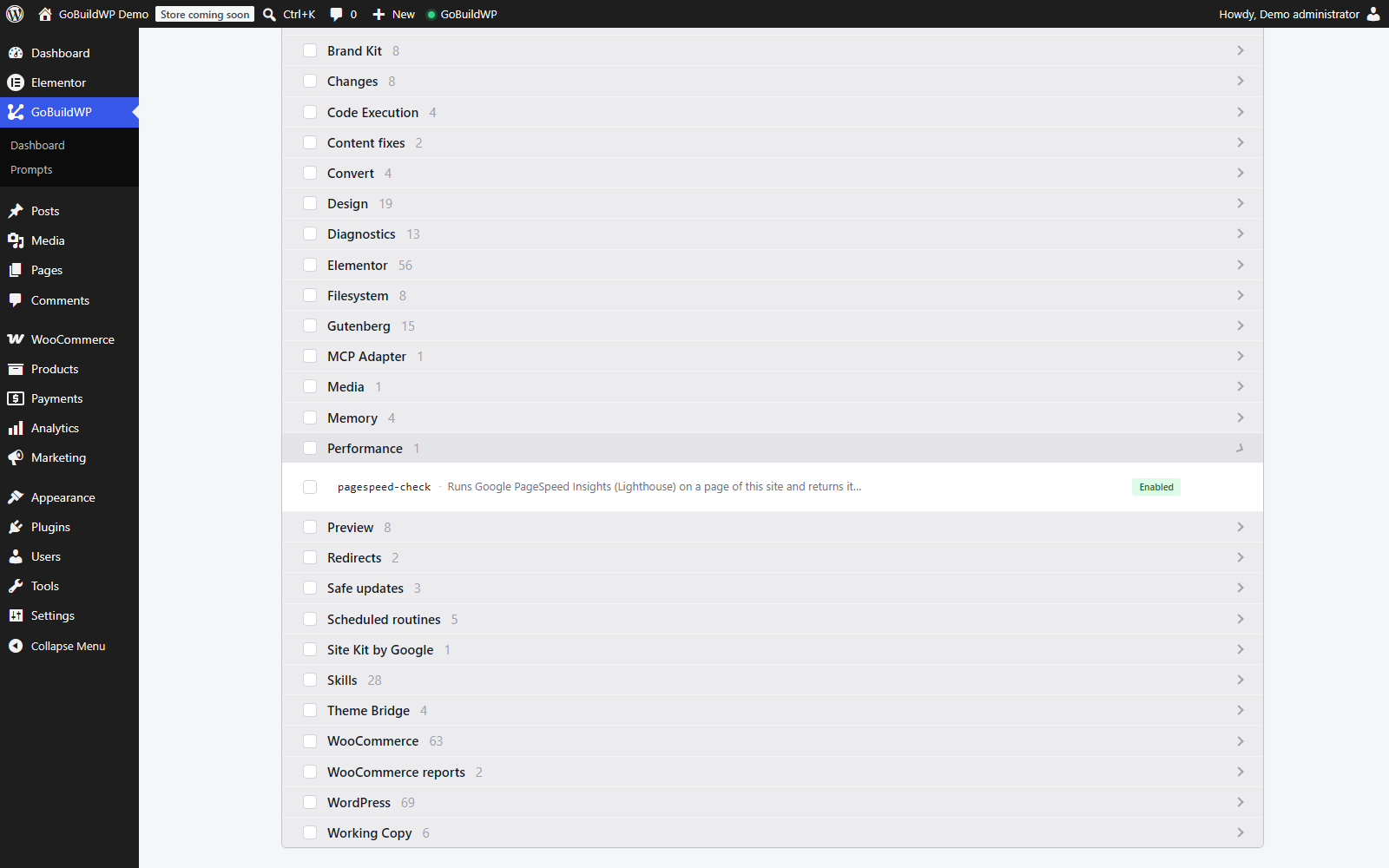
The live ability catalogue reflects the plugins and permissions on this installation. Inspect the available operations before changing a cache layer. This screen is not a speed score or proof of a performance gain.
Actual product capture · local demoClosed-loop workflow
Measure. Change one thing. Verify. Keep or revert.
Find a bottleneck, test a supported change and compare the same page under comparable conditions. Check the mobile layout, navigation, forms and checkout before keeping the change.
Compare the before and after runs for the setting you changed, using the same URL and the same number of requests.
List the browser checks I still need to do on mobile, navigation, forms and checkout.
If anything regressed, revert the experiment and show me what the revert restored, what it could not restore and what still needs a purge.Inventory the stack
cache-check-setup reports recognized active layers and available host/CDN signals. A site can run a page cache, an asset optimiser, an object cache, an image converter and an edge layer together; GoBuildWP's catalogue recognises 26 supported layers, with different control depth.
Take a baseline
cache-measure-page fetches the URL from the server: repeated TTFB, HIT or MISS headers, HTML bytes and compression, render-blocking files, images without dimensions, font preloads.
Snapshot the experiment
cache-begin-experiment captures supported settings; inspect drivers and not_captured before relying on recovery.
Change one thing
cache-set-settings writes one supported mapped key. Inspect the installed UI and policy, and read any key reported unsupported as one the plugin has no equivalent for; automatic purge coalesces request targets and runs on shutdown.
Purge and warm
cache-purge attempts declared supported entry points and reports each layer. Inspect returned results; cache-warm requests URLs without proving freshness, and independent edges need their own verification.
Re-measure and look
Compare server delivery again, then follow cache-verify-in-browser checks and PageSpeed links. Lighthouse lab results describe a simulated load; field Core Web Vitals describe real visits over time. Neither is established by a lower server TTFB.
Keep or revert
Keep a measured change that renders and behaves correctly. Otherwise inspect cache-revert-experiment restored, deleted, not_restored, verified and purged_layers. The purge count does not prove that every external cache is fresh. Captured-storage verification is distinct from complete functional recovery and can overwrite later settings.
Not another cache plugin
26 layers it recognises, and what it can do with each
Performance problems rarely belong to one settings screen. 10 drivers share a mapped settings vocabulary; the others are reached through their own option names, purge callbacks or read-only evidence.
- Page cache 19
- LiteSpeed Cache 22 keys, WP Rocket 24 keys, WP Fastest Cache 7 keys, Speed Optimizer (SiteGround) 11 keys, WP-Optimize 14 keys, W3 Total Cache 8 keys, SpeedyCache 6 keys, Breeze 12 keys, Cache Enabler 3 keys, FlyingPress, WP Super Cache, Jetpack Boost, Aruba HiSpeed Cache, NitroPack, Hummingbird, 10Web Booster, Powered Cache, Swift Performance, Swift Performance Lite
- Assets and images 3
- Autoptimize 8 keys, Perfmatters, Converter for Media
- Object cache 3
- Redis Object Cache, Docket Cache, SQLite Object Cache
A settings write is not proof of a faster page. Host rewrite rules, a CDN or WAF, and external optimisation services can override a correct WordPress setting.
Measure the right thing
What the server can prove, and what needs a browser
Server response measurements, lab tests and real-user field data answer different questions. Keep their results separate and compare the same URL, device profile and test conditions.
GoBuildWP measures server delivery. PageSpeed Insights or a browser testing tool supplies lab scores; available field data describes real visits over a reporting window. Changing an image plugin’s settings is separate from running and verifying a bulk compression or conversion job.
Server-side delivery
- Reported cache headers for each request; check fetched_via and delivery topology before treating a HIT or MISS as public-path evidence
- Time to first byte across repeated requests, not a single lucky one
- HTML weight and whether it was compressed
- Render-blocking stylesheets and head scripts in the document
- Images shipped without width, height or a loading attribute
Only a real browser
- Lighthouse lab LCP and CLS under a stated device/network configuration; its TBT is not field INP
- Field LCP, CLS and INP from real visits, where available; CrUX uses a rolling 28-day window and does not immediately prove a change worked
- A hero image that got lazy-loaded or a logo turned into a placeholder
- JavaScript errors after a combine, defer or delay setting
- The Google PageSpeed score, which Lighthouse measures in Google's browser. GoBuildWP Free's pagespeed-check fetches it; it never invents the number
- Anything a CDN, WAF or host edge changes after WordPress has answered
A repeatable test
Compare the same page under the same conditions
Use this procedure on authorised staging. It is a measurement checklist, not a claimed performance result.
- Record the URL, software versions, hosting environment, device, network and test runner. State whether each run uses a cold or warm cache.
- Collect at least three comparable baseline runs and report the median for each metric, keeping server timing and Lighthouse results separate.
- Approve one supported setting change. Save the exact before/after values, purge results and cache state.
- Repeat the same runs. Check layout, navigation, forms, console errors and other essential functions before keeping the change.
- Record regressions and recovery results. Assess field Core Web Vitals separately when enough real visits are available.
Measurement definitions: Google Web Vitals guidance and CrUX methodology.
Beyond the cache settings
Speed checks you can run with GoBuildWP Free
The cache module is Pro, but several causes of a slow WordPress site sit below the cache, and GoBuildWP Free can look at them. performance-audit runs bounded server-side checks: whether a persistent object cache is active, how large the autoloaded options are (it recommends attention above roughly 800 KB and warns above roughly 1.5 MB), how many plugins are active, and the PHP memory limit. It makes no speed claims and only reads.
When autoloaded options come back large, options-explore lists option rows by autoload state and size, so the agent can name the plugin that left a multi-megabyte row loading on every request. cron-list shows overdue WP-Cron events and events with no callbacks, a common leftover of removed plugins that can make cron runs pile up. These are findings to act on with a person's say-so, often by fixing or removing the plugin responsible, not settings an agent should flip.
Presets, and why one key at a time still wins
cache-list-presets describes three named configurations, conservative, balanced and aggressive, and for each one lists the keys it would set, which of them the active plugin supports, which are confirmation-gated, and which would change from the current values on this site. That last list is the honest preview. cache-apply-preset applies one as a single change-ledger entry, and the aggressive preset is refused without confirmation. rollback-change reverses that entry by writing the plugin's captured settings back and checking the stored values match. That overwrites any of those settings changed since, and matching settings are not proof the site behaves as before, so purge the cache and measure again after an undo.
Presets are a reasonable starting point on a site with no tuning at all. On a site someone has already tuned, prefer single keys: a preset moves many settings at once, and if the site gets slower or a script breaks, you will not know which setting did it.
Database cleanup is the one step you cannot revert
Most cache plugins also offer actions rather than settings: preloading, running a crawler, cleaning old revisions, spam comments and expired transients. cache-list-actions lists what this install exposes and whether each action is destructive, and cache-run-action runs one, refusing destructive ones without confirmation. The experiment snapshot and the change ledger restore settings, not deleted rows, so a revision cleanup is permanent. Take a database backup first and decide with the site owner whether old revisions are worth keeping.
Reporting a speed change honestly
A useful result from an AI speed session is a short record, not a score. For each change kept, ask the agent to report the setting, the layer it belongs to, the server-side measurements before and after with the number of repeated requests, the browser checks it handed over and whether someone ran them, and the change-ledger entry that would undo it. Pair that with PageSpeed or field data gathered separately over the following weeks. A report that says a site is now faster without those pieces is a claim, and it should be read as one.
Logged-in users and WooCommerce pages
Server-side measurement fetches pages logged out, which is how most visitors arrive and not how customers with a basket do. Caching for logged-in users is one of the settings refused without confirmation, because a cached page shown to the wrong user is a privacy problem, not a speed problem. On a store, keep cart, checkout and account pages out of the page cache, confirm the exclusion in the cache plugin's own screen, and test a real purchase on staging with a gateway in test mode after any change to asset settings.
FAQ
Performance claims with boundaries attached
Can GoBuildWP optimise more than one cache plugin?
Yes. The source-derived catalogue recognises 26 cache and optimisation layers. 10 have a shared settings map; the rest are detected with their native options, purge callbacks or read-only evidence, and support depth differs by driver.
Does GoBuildWP generate a Google PageSpeed score?
Google supplies the score. Free's pagespeed-check retrieves PageSpeed Insights results through an available provider route. Pro's pagespeed-fix-plan proposes one supported mapped cache setting. After approval and confirm=true, pagespeed-fix-step applies it, compares selected server checks and requests a fresh PageSpeed run, rejecting cached results from before the change. It keeps the change only within the configured score tolerance and without newly detected server breakage; otherwise it attempts ledger rollback and purge. Inspect status, change_id and rollback details, including rollback_failed. A kept result is not a browser interaction test or a field Core Web Vitals improvement: check mobile layout, navigation, forms and checkout before another step.
Can it work with WebP, AVIF and image optimisation?
It can inspect and change image settings exposed by compatible plugins and detects Converter for Media, which creates the WebP and AVIF files. Conversion itself is started from that plugin's own screen; GoBuildWP does not recompress image files.
Can it purge Cloudflare or another CDN?
It detects edge layers and calls WordPress-side purge callbacks where a plugin provides them. A CDN or WAF that sits in front of WordPress with its own control panel needs its own purge, and GoBuildWP reports that boundary instead of claiming the edge was cleared.
Is GoBuildWP the only WordPress MCP that tunes performance?
No. xSpeed Cache publishes an MCP workflow that measures its own site, applies its own settings one at a time and reverts what breaks. GoBuildWP is not a cache engine: it coordinates the supported layers already installed and makes unsupported or provider-side boundaries explicit.
Use the optimiser already installed on the site.
GoBuildWP understands the supported stack, runs the safe loop and leaves an evidence trail. It does not force every site onto one cache product.